
HELP / GETTING STARTED
Getting started with Kudokit
The four stages every testimonial moves through, and the shortest path to your first one.
1 MIN READ
Kudokit moves a customer's words through four stages: collect them, manage what comes in, showcase the good ones, then analyse whether they earned anything. You do not have to set all four up at once.
The shortest path to your first testimonial
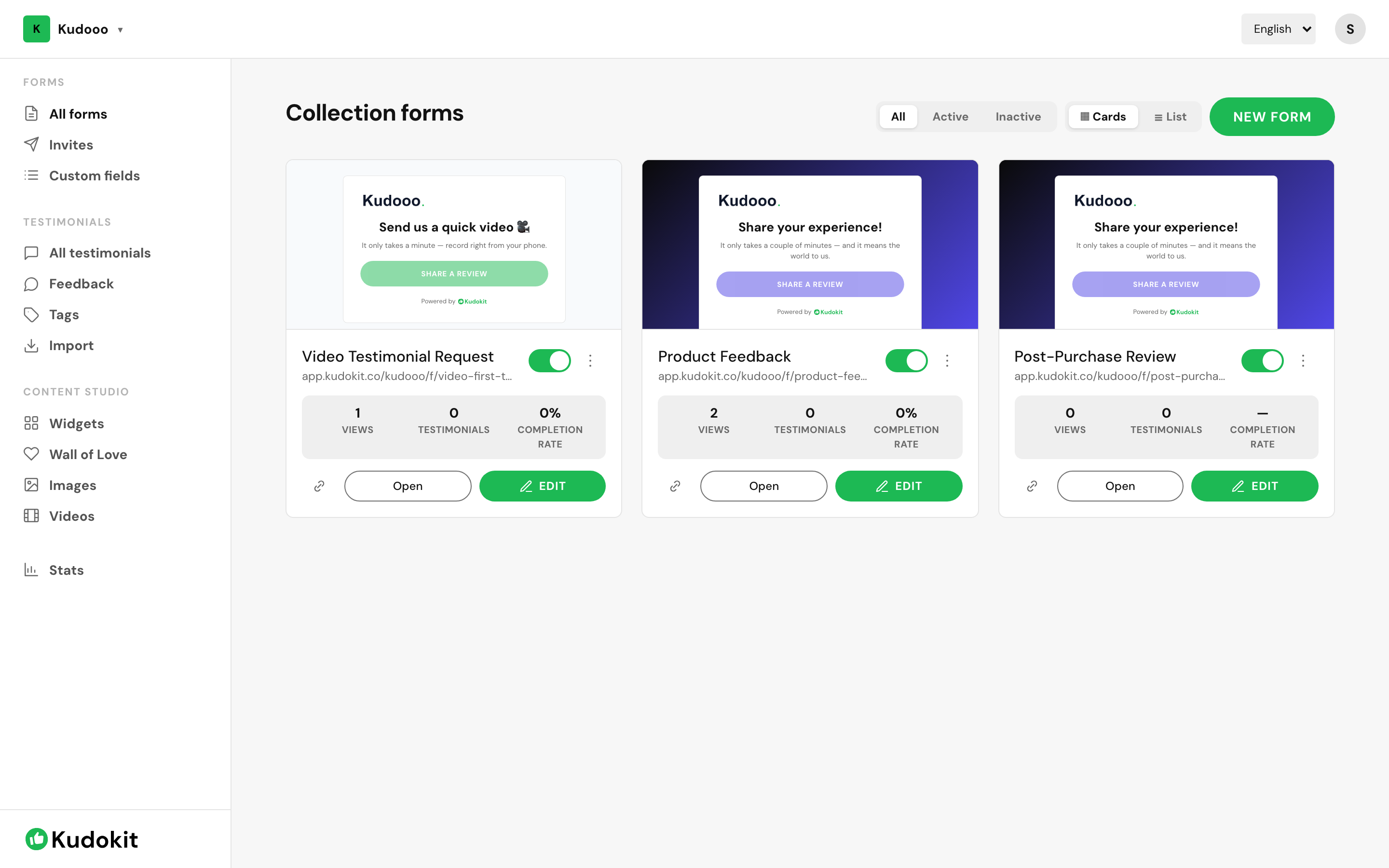
- Create a collection form — the page your customer fills in.
- Share its link, or send invites to a handful of customers you know are happy.
- Approve what arrives in All testimonials.
- Add a widget to your site so the approved ones appear.
If you already have reviews
Skip step one. Import pulls in reviews you already have on Google, marketplaces or a spreadsheet, and imports are approved automatically. Connecting Google Business Profile is free on every plan and keeps syncing daily.
Where things live
- Forms — collection forms, invites, custom fields.
- Testimonials — everything collected, plus feedback, tags and import.
- Content Studio — widgets, Wall of Love, images and videos.
- Stats — views, engagement and revenue.
You do not need a developer for any of it. The only step involving code is pasting a widget snippet into your site, and that is one copy-paste.
Related
Support
Still stuck? Email support.
A human replies — usually within a few hours.