
HELP / MANAGING
Approve, reject and tag testimonials
Every testimonial lands in one inbox first, whatever its rating. Nothing goes public until you decide it does.
2 MIN READ
Every testimonial lands in one inbox first, whatever its rating and wherever it came from. Nothing is public until you decide it is.
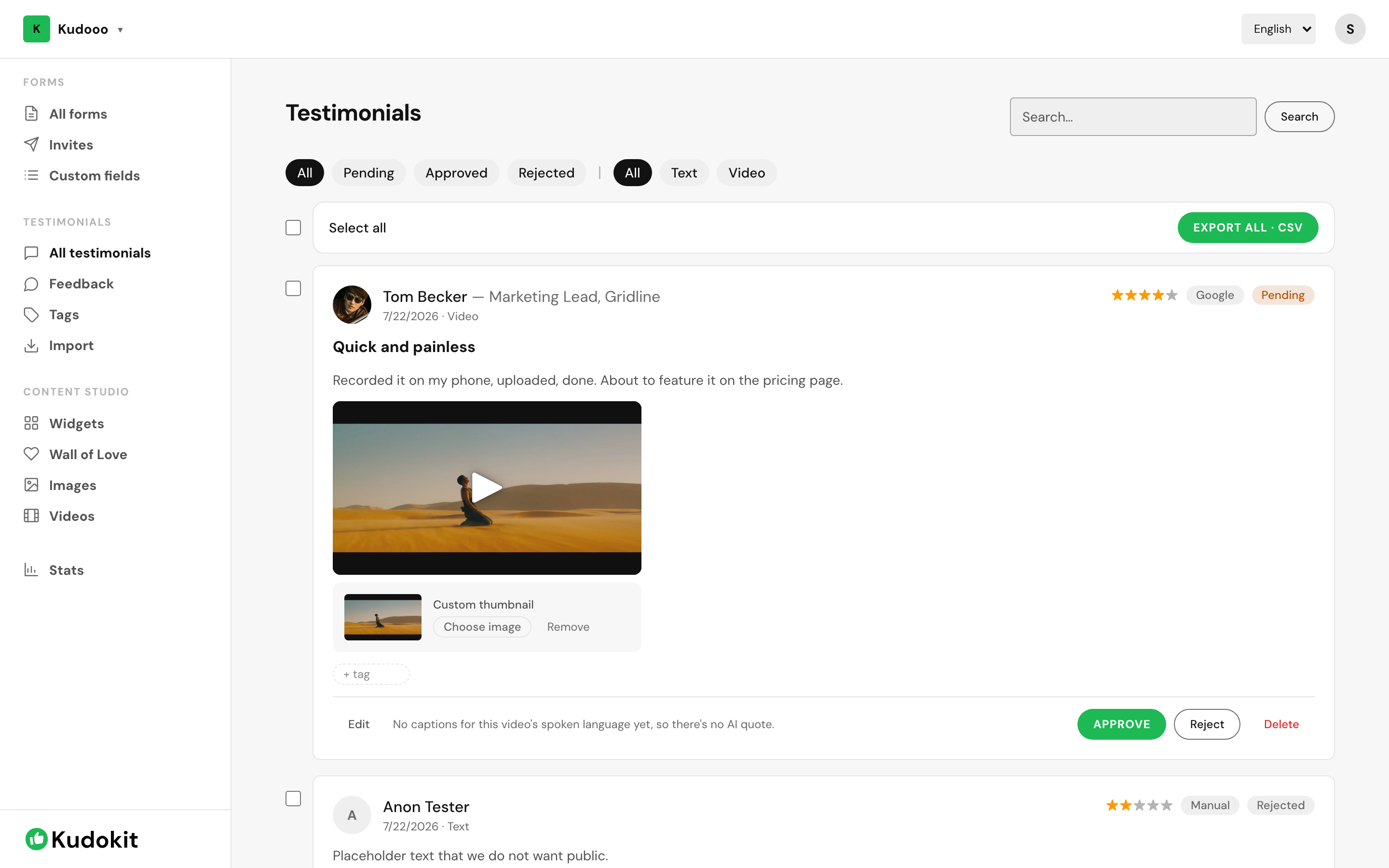
Approve or reject
Open All testimonials in the sidebar. Each entry shows the customer, their rating, the source it came from, and its current status. Read it, then choose:
- Approve — it becomes available to widgets and walls.
- Reject — it stays in your records but never appears publicly.
- Delete — it is removed entirely. This cannot be undone.
Prefer Reject over Delete. A rejected testimonial is still evidence of what a customer said, and you may want it later even if you never publish it.
If Approve is missing and the card says "Private only — can't be published" instead, the reviewer chose private consent on the form — see public vs private consent, explained.
Finding things
The filters along the top narrow by status — Pending, Approved, Rejected — and separately by type, Text or Video. Pending is the one to live in; it is your actual queue.
The search box matches the text of the testimonial, which is the fastest way to find a specific quote you half-remember.
Tags
Use + tag on any testimonial to file it. Tags are how you answer questions like "which testimonials mention onboarding" months later, and widgets can be pointed at a specific tag so a page shows only relevant proof.
Tagging as you approve costs a few seconds. Tagging 300 testimonials retrospectively is an afternoon.
Editing
Edit lets you fix the customer's name, role or company. Be careful changing the words themselves — a testimonial is a quote, and editing what someone said is a different thing from tidying a typo.
Exporting
Tick specific testimonials with the checkboxes, or leave everything unticked, then click Export · CSV — ticked rows export alone, otherwise every testimonial currently listed does. It is the answer whenever you need this data somewhere Kudokit does not reach.
Related
Support
Still stuck? Email support.
A human replies — usually within a few hours.