
HELP / IMPORTING
Import reviews you already have
Connect Google, paste a review-page URL, drag in a spreadsheet, or type one in by hand. Imports are approved automatically.
1 MIN READ
If you have been in business for a while, you already have reviews — on Google, on a marketplace, in your inbox. You do not need to ask for those again.
Everything imported is approved automatically, on the reasoning that a review already public somewhere else has effectively been approved once.
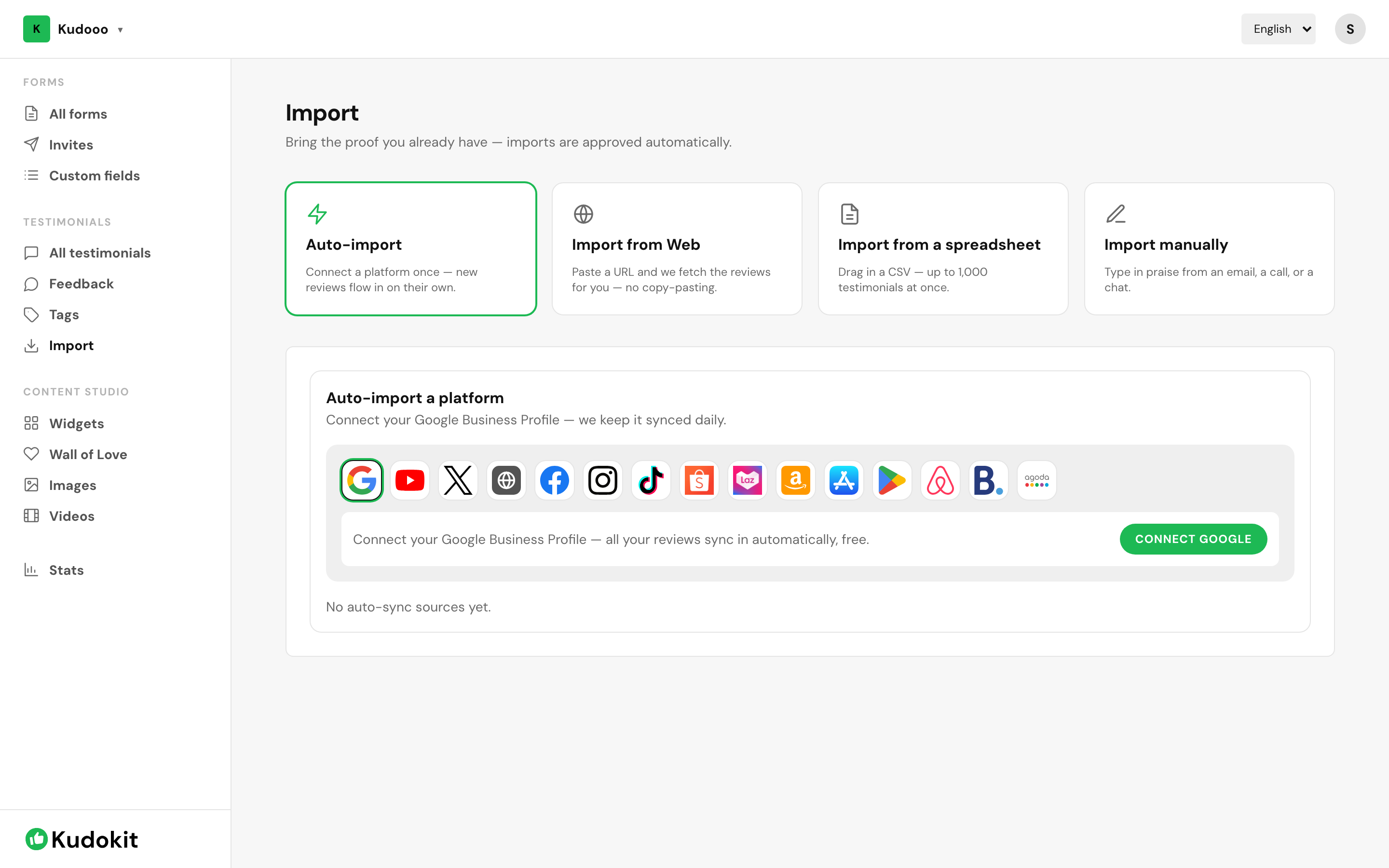
Four ways in
- Auto-import — connect a platform once and new reviews keep arriving on their own.
- Import from Web — paste the URL of a page where your reviews already live and Kudokit fetches them.
- Import from a spreadsheet — drag in a CSV, up to 1,000 testimonials at once.
- Import manually — type in praise that arrived by email, on a call, or in a chat.
Google is only one of more than a dozen platforms Kudokit can pull from — Facebook, Instagram, TikTok, Shopee, Lazada, Amazon, the App Store, the Play Store, Airbnb, Booking.com, Agoda, YouTube, X, and any site that publishes its own review markup. Open the method you want above for the exact platform list and steps.
Duplicates
The same review arriving twice — once from an auto-import and once from a spreadsheet — is matched and merged, so importing the same source repeatedly is safe. It will not fill your inbox with copies.
Related
Support
Still stuck? Email support.
A human replies — usually within a few hours.