
HELP / ACCOUNT & BILLING
Team seats, roles and workspaces
Invite people, decide what they can do, and know when to create a second workspace instead.
1 MIN READ
Seats and workspaces solve different problems, and picking the wrong one gets expensive.
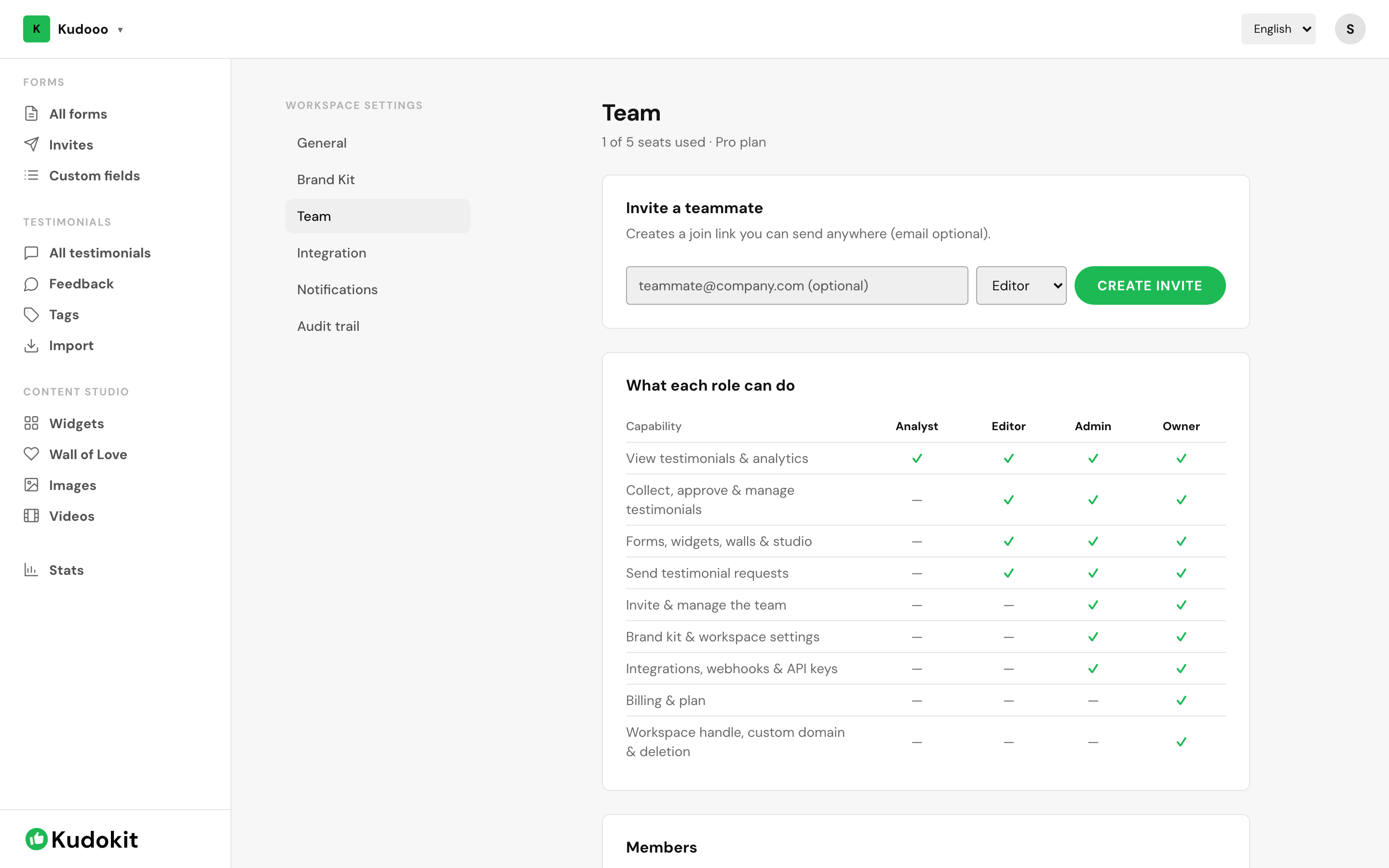
Invite someone
- Open Workspace settings → Team.
- Enter their email and choose a role.
- They get an invitation and join with their own login.
Never share one login. Separate accounts are what make the audit trail meaningful — otherwise every action is attributed to the same person.
Roles
Roles are a Pro feature. They let you separate who can approve and publish from who can only read the numbers — worth having the moment someone outside your immediate team needs access.
How many seats
Free and Starter include 1 seat. Pro includes 5, with extra seats at $3/month each.
Seat or new workspace?
They solve different problems, and picking the wrong one gets expensive.
| A seat | A workspace | |
|---|---|---|
| What it is | Another person working on the same testimonials | A separate space with its own testimonials, forms and branding |
| Use it when | A colleague needs to approve, publish or read the numbers | You have a different entity or brand, or you manage testimonials for clients |
| Shares testimonials? | Yes — same inbox, same widgets | No — completely separate |
| Shares branding? | Yes | No — each has its own Brand Kit |
| Free | 1 | 1 |
| Starter | 1 | 1 |
| Pro | 5 | 2 |
| Extra costs | $3 / month each (Pro) | $7 / month each (Pro) |
Audit trail
Pro records who approved, edited or published each testimonial and when, under Workspace settings → Audit trail. It is the answer to "who published that?" months later.
Related
Support
Still stuck? Email support.
A human replies — usually within a few hours.