
HELP / COLLECTING
Share your form with a link or QR code
Every form has a public URL. Where you put it matters more than how the form looks.
1 MIN READ
A form nobody opens collects nothing. The link is the product; the form is just what happens after someone clicks.
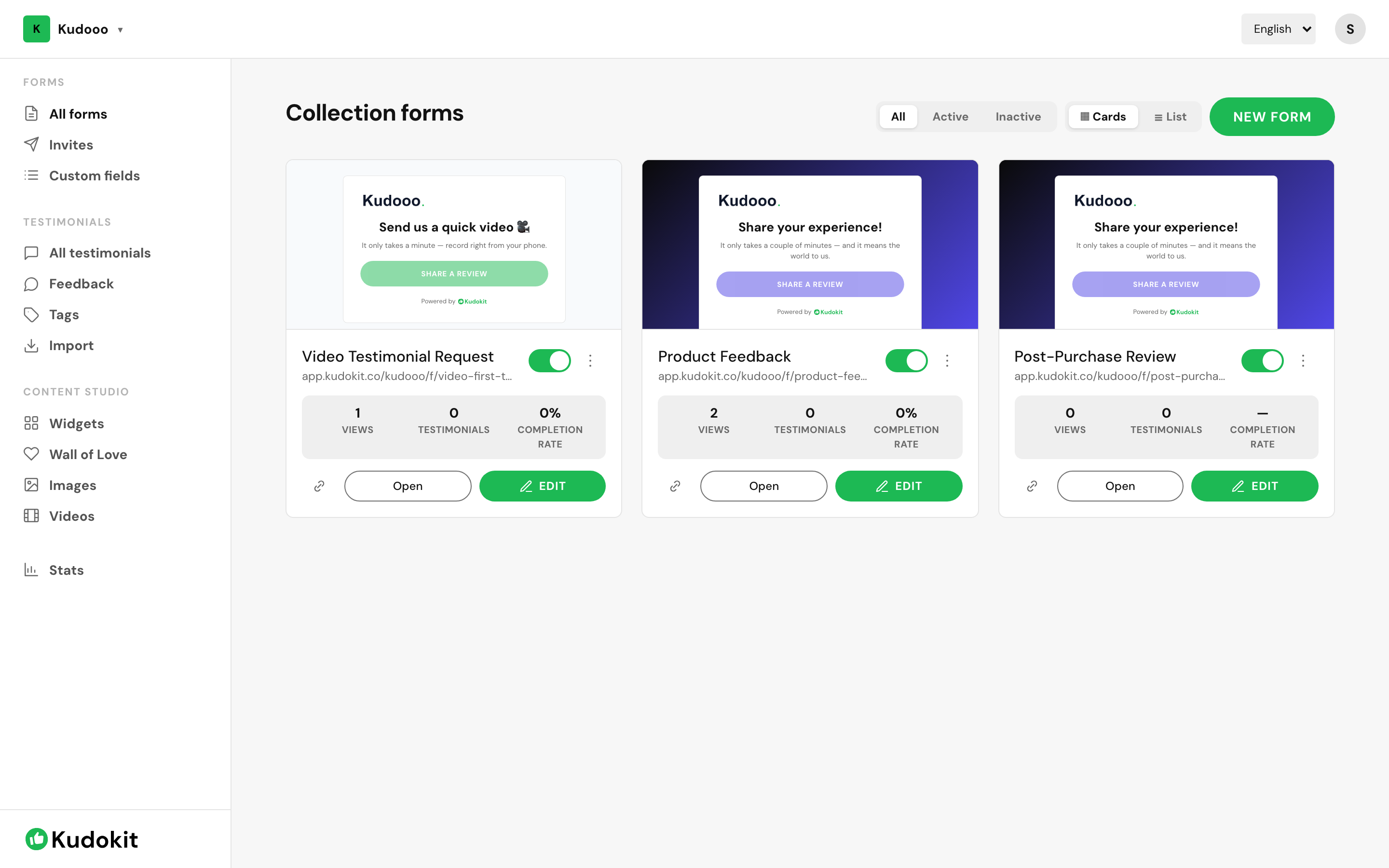
Find the link
Open All forms. Every card shows its public address — app.kudokit.co/yourhandle/f/form-name — with a copy button beside it. Open previews exactly what the customer sees.
Where to put it
- Order or delivery confirmation email — the highest-yield placement, because it arrives at the moment the customer is happiest.
- Email signature — passive, costs nothing, works forever.
- Receipt or packaging QR code — for anyone with a physical product or premises.
- Social bio or a post — good for a burst, poor for a steady trickle.
- After checkout — the thank-you page is prime and usually wasted.
QR codes
A QR code is just the form URL as an image, so generate one from the link and print it on a receipt, table card, packaging insert or poster. Anyone with a phone camera is two taps from the form and never has to type an address.
Reading the numbers
Each form card shows views, testimonials and completion rate. Together they tell you which problem you have:
- Low views — a distribution problem. The link is not in front of enough people.
- High views, low completion — a form problem. It asks too much. Cut fields.
For named customers, use invites instead
A public link cannot tell you who was asked. When you want that, send email invites — each carries a tracked link so you know who replied.
Support
Still stuck? Email support.
A human replies — usually within a few hours.