
HELP / COLLECTING
Add custom fields to a form
Ask for the extra details you need — job title, product bought, order number — alongside the testimonial itself.
1 MIN READ
A testimonial is more useful when you know who said it and about what. Custom fields let you collect that alongside the review, without turning the form into a survey.
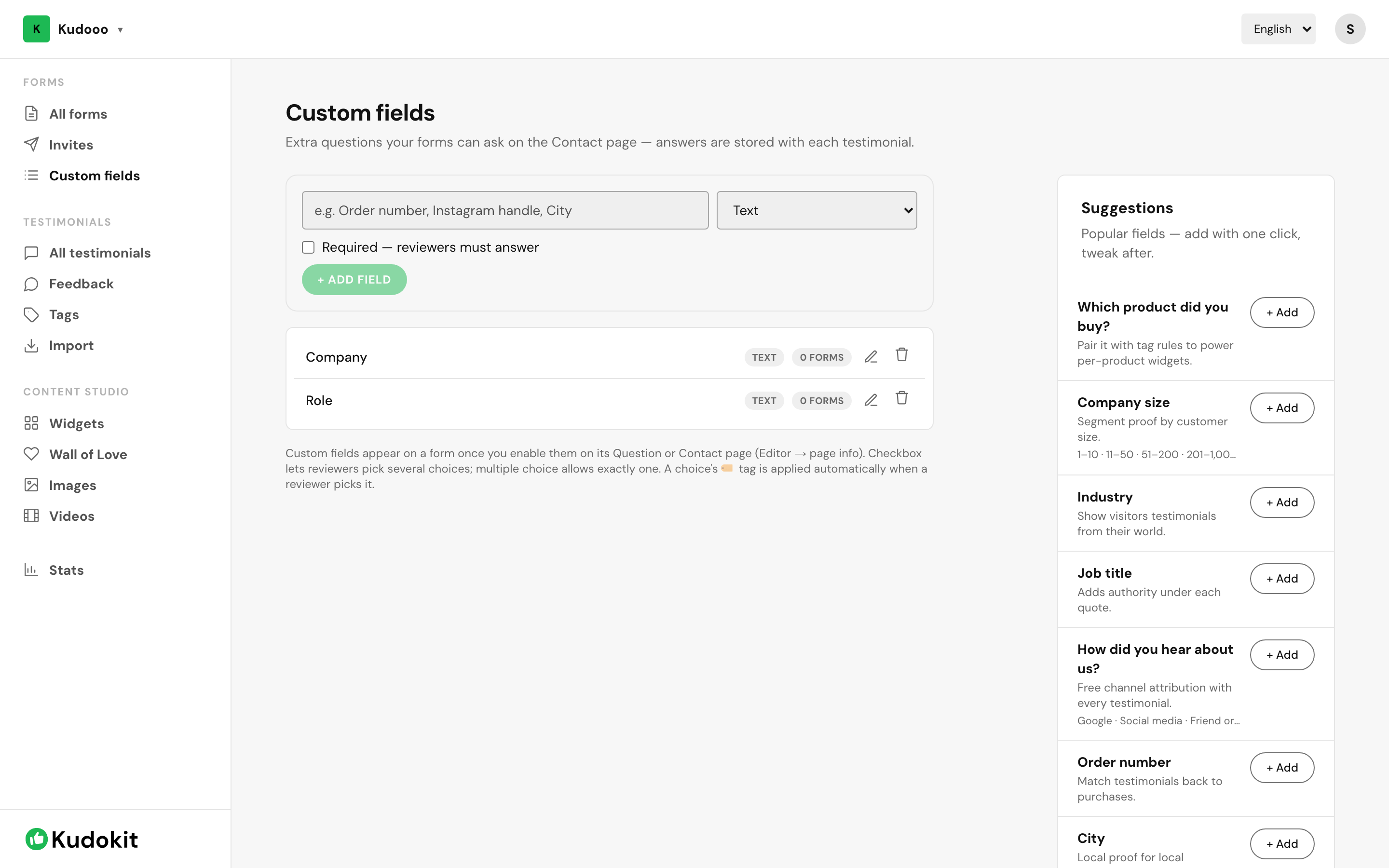
Create a field
- Open Custom fields under Forms.
- Add a field and give it a label the customer will understand — this is shown to them.
- Choose whether it is required.
- Add it to the forms that should ask for it.
What is worth asking
Ask only for what changes how you use the testimonial:
- Role and company — makes a B2B quote credible.
- Product or service — lets you show relevant proof on the matching page.
- Location or branch — useful when you have several.
Keep it short
Every field is another reason to abandon the form. If completion rate drops after adding fields, that is the cause — the number is on each form's card. Two optional fields is usually the ceiling before it starts costing you replies.
Related
Was this helpful?
Support
Still stuck? Email support.
A human replies — usually within a few hours.